What's new
Everything new on Our Solar System, newest first, each with a link to try it. You can follow along with the feed.
November 2026
-
Fly free of the tether on a spacewalk
Press U to unclip the safety tether and fly on the jets alone. The gauge turns amber when the nitrogen left can't bring you back, and you clip on again at the hatch or the hull. The astronaut's hands now go to the controller as you fly and reach for the station when it is close, the jets puff cold gas from the thrusters that fire, the gold visor mirrors the Earth and the station, and the suit's cloth looks real up close.
-
Cloud shadows in Qmax match the viewer
In Qmax each cloud now casts its shadow where the Sun puts it, soft at the edges and drawn the same way as in the viewer, on the land and on the sea. The far sea keeps its true colour.
-
Gift ideas by who they are for, and a Christmas section
The gifts page now has picks for him, for her and for adults, and a Christmas section with the last order dates for paper. The Christmas star map page adds ideas for a first Christmas together, and once a date passes, both pages lead with a print file that arrives by email in minutes.
-
Livelier jets on a spacewalk
Outside the space station, the jet pack now gets you moving within a second and turns you at a steady pace that stops when you let go. Press J for Real jets to fly it as slowly and gently as NASA's own does.
-
GPU Melter, a graphics setting above Max
For the most powerful computers, GPU Melter draws every pixel your screen has, with every effect at its highest, and never steps down in flight. It asks before it turns on, and it is on desktops only. Max now draws a little under the full sharpness of a Retina screen, which makes low flight over a city smoother.
-
Launch smoke that billows like the real thing
A launch in Qmax now raises one billowing cloud off the pad that rolls out and rises as a dome, its billows carried with it, bright where the Sun reaches it, grey in its creases, each billow shading the one behind it, with the rocket and the tower standing in it. The trail climbs out of it as one column. The flame leaves the engine bells, and the autopilot (B) climbs straight past the tower before it leans over.
-
Your free Qmax flight lasts until you reach orbit
The free guided flight on Orbiter I is no longer used up at liftoff. If the rocket comes down, fly it again with the guide, as many times as it takes to reach orbit.
-
The black hole joins the screensaver page
The black hole show now has its own part of the screensaver page, beside the planets and the grand tour: the loop, stills, and the sources behind each scene.
-
Qmax's Sun and sky match the viewer
Qmax now draws the Sun with the viewer's own glare, and the Earth's air from orbit as the viewer does, with its yellow-green airglow and the Sun bending at the limb.
-
Cassini and Parker Solar Probe on their real paths
Cassini flies its real path from 1997 to 2017, and Parker Solar Probe swings round the Sun on its own. Pick either one and the clock moves to its mission, with its key moments a tap away.
-
A spacewalk outside the ISS
From the ISS, step outside as an astronaut and move round the station on the backpack's small jets, held to it by a tether.
-
Walk on the Moon and Mars as an astronaut
The walks on the Moon and Mars now show you as an astronaut, followed from behind and leaving boot prints in the dust. Press V to look through the astronaut's own eyes.
-
Golden hour, motion blur and depth of field
Down in the Earth's air, the colours follow the Sun the way a camera's do at golden hour. In fly mode on Ultra and Max, a fast turn blurs the frame and a close subject throws what lies behind it out of focus.
-
Career mode in Qmax
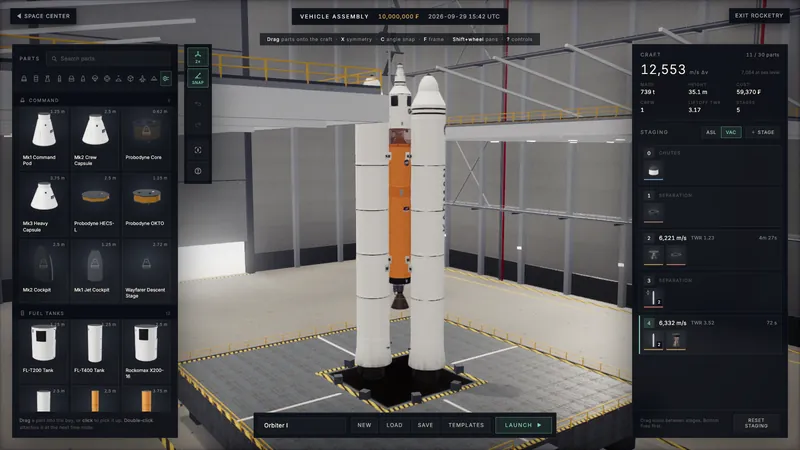
Qmax has a Career mode. Research opens new parts in the VAB, Mission Control offers contracts to fly, and every first earns a mission patch for your gallery.
-
Follow the first stage down
Watching a launch, the new Landing view follows the first stage all the way back down to its landing and stays with it.
-
Ridiculous mode
Ridiculous mode, a switch in the Graphics group, draws every known asteroid on its own orbit and lets the view reach further. It shows on computers whose graphics can carry it, and comes with the full version.
-
Every craft into the Earth's air
Every craft in fly mode can now come down into the Earth's air. The Space Shuttle comes home as the real orbiter did, gliding without power once it is back in the air.
-
Jupiter and Saturn at their true shape
Jupiter and Saturn now bulge at the equator as much as they really do, in the viewer and in the planet prints.
-
Softer cloud shadows, sharper clouds and the glory
Cloud shadows on the ground have soft edges, and on Ultra and Max the clouds down low have sharper outlines with shade that holds still as you fly. Look down on cloud with the Sun at your back and you can find the glory, rings of colour round the point opposite the Sun.
-
Music: Quiet Wonder, then Interlude
The viewer's music now plays as a playlist: Quiet Wonder, which became the opening piece on 8 November, and then a second piece, Interlude.
-
New York in its own 3D buildings
New York stands in the city's own 3D building models, over the state's aerial photographs, with real roof materials and the water tanks on its roofs. Pick New York from fly mode's places to go there.
-
Hand-made landmarks in London, New York and San Francisco
London, New York and San Francisco have hand-made landmarks and bridges, every bridge over the Thames and the Golden Gate among them. Airports carry their runways and taxiways with real markings. By day, buildings take their measured colours and roofs show their material.
-
Change the time of day in flight
Fly mode's display has a time of day control, so you can watch the same street at dawn, at noon and at night without leaving it.
-
Moon phase prints
Design a print of the real Moon over your place on your date: one night, a month or a whole year of phases, with its eclipses and supermoons.
-
Vapour, wakes and shock waves at speed
Fly fast and low and the air shows it: vapour gathers round the craft, a rooster tail lifts off the water and a wake trails behind. The saucer's rim glows with its speed field, a shock wave forms at Mach 1, and the picture stretches toward its edges like a film camera's at speed.
-
Water, trees, traffic and sun shafts
Down low, rivers and lakes reflect the buildings along their banks, trees stand with lobed crowns and tiered conifers, and cars move along the roads. When the Sun is low, shafts of its light fall through the air.
-
Bridges on their piers
Bridges stand on piers at their true clearance with cars crossing, and the big ones carry their towers and their suspension or cable-stayed cables.
-
The app on Mac and Apple Vision Pro
Our Solar System is on the App Store for Mac and Apple Vision Pro as well as iPhone and iPad. On Vision Pro you can stand on photoreal ground on the Moon, Phobos and Io, hide the labels, and see the Milky Way and fourteen more moons.
-
Venue licences online, and projector output
Museums, science centres and events can buy their licence on the licensing page and get the set-up guide and downloads straight away. The viewer also has a projector output: aim it at a wall or a white ball and line the picture up in the browser.
-
French, German, Turkish and Vietnamese
The home page, the viewer and the most visited pages now read in French, German, Turkish and Vietnamese.
-
Use the viewer in your videos
Creators can record the viewer and use it in their videos, streams and posts for free, monetised ones included, with a credit. The creators page explains how to credit it and get a clean shot.
-
172 corrections, each sourced
A fact check of the whole site made 172 corrections, each one checked against a primary source.
-
Fly to a place on Earth
Fly mode's autopilot can take you to New York, London, the Grand Canyon, the Nazca Lines, Rio de Janeiro or the Amazon, and circles there until you take the controls. On a phone, the Autopilot button sits under Brake.
-
The Earth at night from down low
At night the ground is lit as a surface, every building has its own lamps behind its windows, and the tall ones carry red beacons on their roofs.
-
Paper and framed prints
Star maps and planet posters now come printed on paper or framed and posted to you. The new space prints shop has a page for every planet edition, from Saturn backlit by the Sun to dusk over the Nile from 3,500 km.
-
Fly down to the Earth's ground
Fly mode now goes all the way down into the Earth's air, over mountains raised from the real relief. Hold Shift to boost, and fly under the aurora to see its curtains hanging overhead.
-
Buildings, roads and clouds down low
Fly low over the Earth and OpenStreetMap's buildings and roads stand on the ground. Across the US and parts of Europe and Japan, open aerial photographs show it in fine detail, and real cumulus clouds hang overhead with level bases and bulging tops.
-
The full version
One purchase unlocks Qmax in full and everything the viewer keeps for the full version: fly mode down to the ground, the galaxy map, the zoom-out, visits inside nebulae and galaxies, Impact, Spacetime, famous photos in 3D and more. Most of them give you a free first go, and you pay once, inside the page, in your own currency.
-
The Milky Way closer to a photograph
Fly out of the galaxy and look back, and the Milky Way now looks far more like a photograph of a spiral galaxy.
-
Visit a nebula or a galaxy
Fly to a nebula or a galaxy and stay there: the Orion Nebula, Andromeda and the rest stand round you in 3D, built from their photographs. Each one has its own link you can share.
-
SpaceX launches from the real pads
Launches play out at the real sites with the real rockets beside their webcasts, Starship Flight 15 from Starbase among them, and the Falcon pads light up at night.
-
The Earth's day side matched to photographs
The Earth's colours by day and its glowing limb are matched to NASA's own photographs of the whole planet, and the clouds are crisper.
-
Walk on the Moon and Mars
Walk on the Moon at Apollo 15's landing site and drive its moon buggy, or walk on Mars at Jezero crater on its real ground.
-
How it was made
A new page shows how the viewer is built, from the planet theory behind its clock and NASA's Earth maps to real star catalogues and ray traced black holes, every fact sourced.
-
Our Solar System for iPhone and iPad
The viewer and Qmax are on the App Store for iPhone and iPad, one purchase with no ads, filling the screen edge to edge. Each visitor sees the App Store price for their own country.
-
Quantum physics, explained in 3D
A new explainer shows quantum physics in scenes you can play with: glowing stars, hydrogen's colours, the dark lines in sunlight, the double slit, tunnelling and white dwarfs.
-
The lessons centre
The lessons and the 3D explainers now live in one place: relativity, spacetime, black holes, quantum physics, the climate and the shape of the Earth.
-
Black holes, ray traced
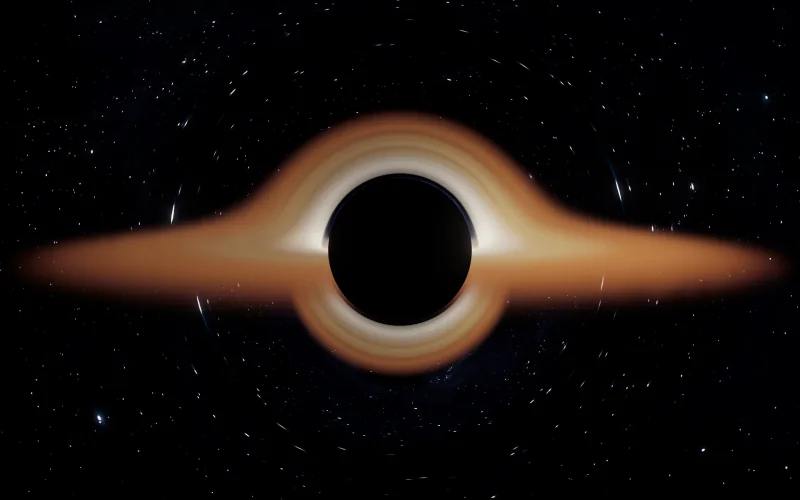
A new page and a viewer mode show black holes ray traced from Einstein's equations: the shadow, the photon ring, and the glowing disc bent over the top and under it.
-
Impact mode
Pick any place on the Earth and an asteroid or a comet, from a rock the size of Chelyabinsk's up to Chicxulub, and watch it come down: the descent, the crater, the blast front and the damage rings as each one arrives.
-
Zoom out from your street
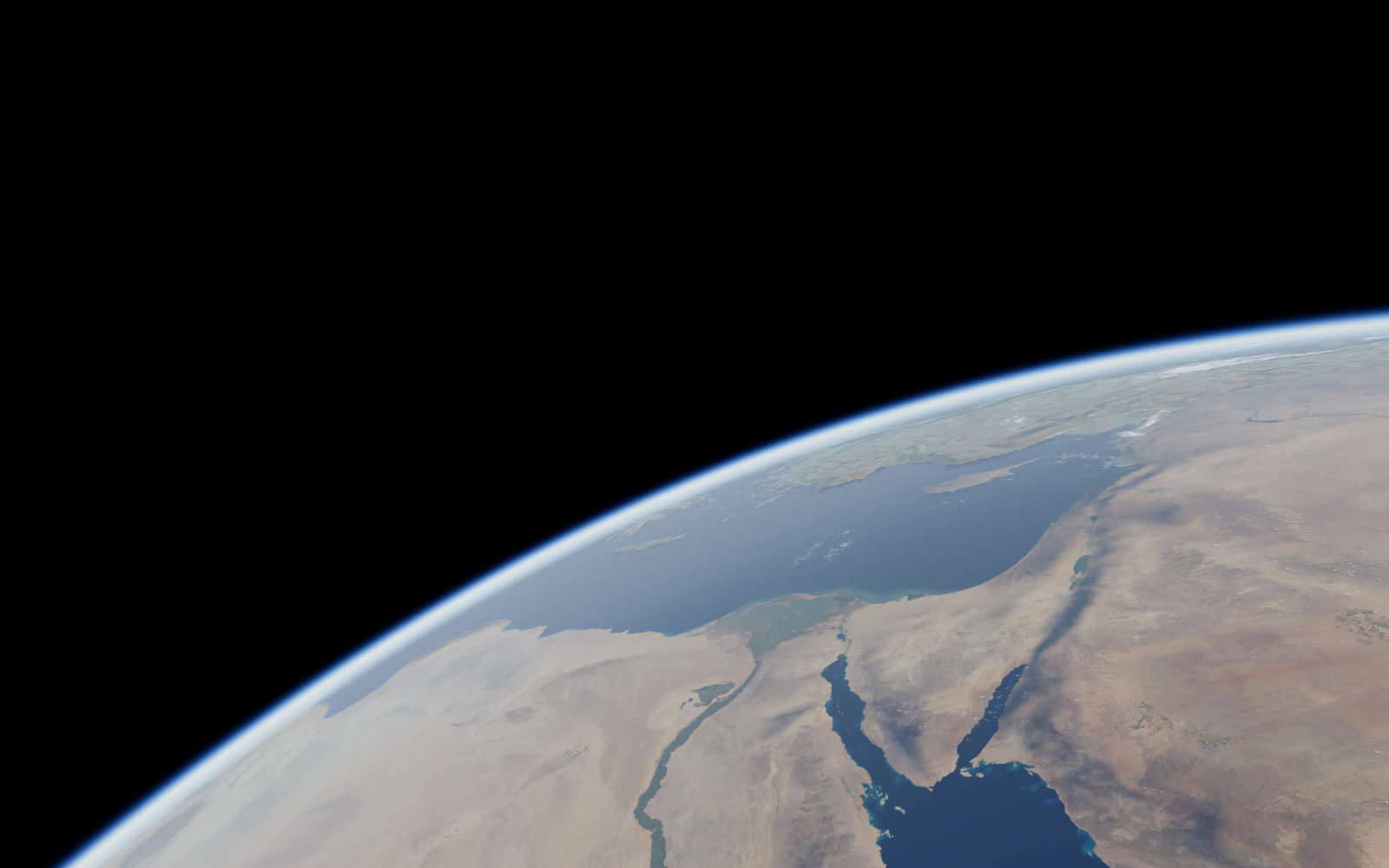
Start above your own street and fly out past Saturn, through the Orion Nebula and the Milky Way, and across the map of galaxies to the oldest light there is. Your first flight is free.
-
Sky reminders without an account
Set a reminder for an eclipse or a meteor shower as a notification, or add it to your calendar, with no account needed.
-
The Earth's magnetosphere
Switch on the magnetosphere to see the Earth's magnetic field, the bow shock and the Van Allen belts, shaped by the solar wind blowing right now. A new lesson on the Earth's magnetic shield goes with it.
-
Hubble, Webb and two interstellar visitors
Hubble flies its real orbit and Webb its real path out past the Moon. ʻOumuamua and 3I/ATLAS, visitors from beyond the solar system, cross it on their own tracks.
-
True scale by default
The viewer now opens at true scale, with every planet at its real size and distance and on its real orbit. The artistic scale is one tap away.
-
A white Sun, in three styles
The Sun is white at both scales, as it looks from space. Close to it you can switch between the Realistic style, the Detailed one and Spectrum, which shows the whole Sun in today's pictures from NASA's Solar Dynamics Observatory, channel by channel.
-
Smaller changes and fixes
The rest of November's changes, in brief.
- Taps answer at once, the Earth drags smoothly while its maps arrive, and a first visit no longer stalls while the graphics warm up.
- Facts to read on the loading screen, and the viewer's menu in a slim rail of icons on the left.
- The Sun up close without a dark outline round it, Saturn's rings casting their shadow, and one look for every moon.
- Fly mode's distances read true at true scale, and your ship stays in front of Ariel and the other small moons.
- A sunrise over the ISS as the picture when you share it, and link previews drawn by the viewer itself.
- Seven saucers hidden round the Earth, now at their true size and lit by the sky.
- Rivers without hatched blocks or black skylines, cloud shadows without steps, and walls that keep their colour at dusk.
- A gentler camera and a proportional fly stick on phones and tablets.
- Antarctica in sharp Landsat imagery all the way to the South Pole, and city skylines that stand out to the haze.
- Flying low over a city costs your computer less, with the same picture.
- Leaving Qmax puts the Moon back at the right size, and VR mode stays off phones.
- Paying never asks you to make an account first, and you can keep a purchase on a free account afterwards.
- On a phone, the screensaver and wallpaper pages offer to email you the link, and the star map designer fits a framed print on the screen.
- The nebula photographs no longer hold up the page as it starts.
- Night launches in Qmax show real streets below, fading softly at the edge of the view.
- The spacewalk is sharp on the highest graphics settings.
- On phones, the memory the Zoom out used is let go of soon after you leave it, with nothing on screen changed.
- In Qmax the launch pad's rocket pictures show up at once, and the ready-made rockets stand their boosters beside the core engine, with Orbiter I on four boosters the height of its first stage.
- The home page shows the screensaver's price in your own currency.
- High over the Earth in fly mode, your saucer stays in front of the blue rim of the air.
- In fly mode, Uranus and Neptune look the same as in the viewer from the first time you see them.
October 2026
-
Planets shine like stars
A planet too small to see as a disc now shines as a sharp point of light in its own colour, and the brightest glisten the way they do to the eye.
-
Climate change on a globe of real data
The climate page shows climate change and life on Earth on a globe built from real data, and the viewer has a climate mode to go with it.
-
Phobos, the dwarf planets and new moon maps
Phobos and the small bodies now have their real shapes. Eris, Haumea, Makemake and Sedna have new maps with their heights, and so do Io, Pluto and moons from Deimos to Titania.
-
VR without Wi-Fi, and NASA's Cupola
A headset with VR mode unlocked can save everything it needs and then run with no internet, which suits museums and venues. In VR the Cupola is NASA's own model, and you can fly between worlds at true scale.
-
Spacetime mode
Spacetime mode lays every body's gravity well on one sheet, to scale, so you can see how deep the Sun's is beside the Earth's.
-
A cinematic grand tour and a Galaxies show
The screensaver's grand tour is now shot like a film, on crescents, terminators and limbs, and a new Galaxies show slews from galaxy to galaxy as if through a telescope. The live wallpapers have it too.
-
Relativity and spacetime, explained in 3D
Two new explainers show special and general relativity and the shape of spacetime in 3D: a light clock that slows, GPS clocks, bent starlight, light cones and the twin paradox.
-
Spanish, Portuguese, Hindi, Chinese and Indonesian
The home page, the viewer's panels and the most visited pages now read in Spanish, Portuguese, Hindi, Simplified Chinese and Indonesian, and the site offers each reader their own language.
-
About and Accuracy pages
New About and Accuracy pages say who makes the site and how its numbers are checked against JPL Horizons, the US Naval Observatory and NASA.
-
Tonight's sky, town by town
Tonight pages for 282 towns and cities give sunset and darkness, which planets are up and where, the Moon, ISS passes and the northern lights.
-
Astronomy mode
Astronomy mode shows the real night sky from where you stand, with the stars, the planets, the Moon and the Milky Way in their places. On a phone, hold it up and the view turns with it.
-
Star map prints
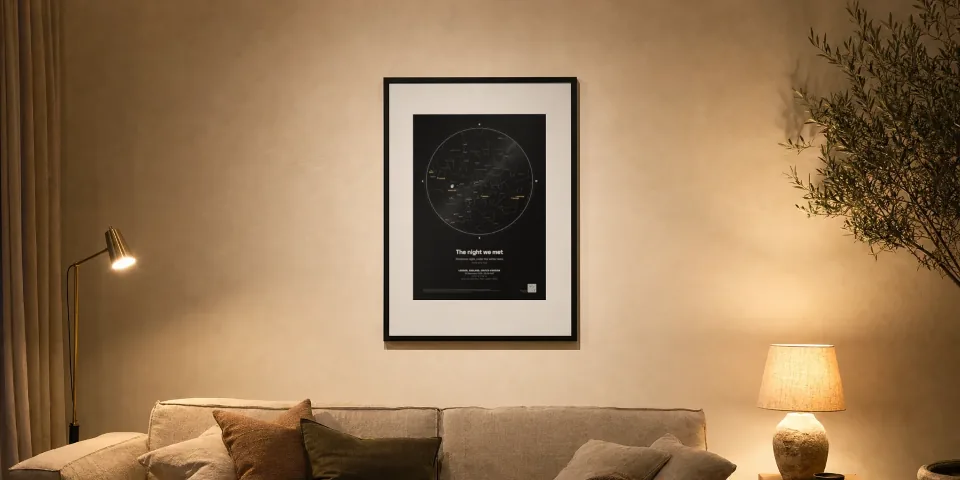
Design a star map of the real sky over any place and moment, with the Moon in its true phase and the planets where they were.
-
The night sky on any date
A free tool draws the real night sky over any place and date from 1800 to 2200: the stars, the planets and the Moon in its phase.
-
The Moon's phase today
The moon phase page draws the Moon as it looks tonight, with its age, the next full Moon in your time zone and a calendar for each month.
-
The 2027 eclipse, city by city
For the total eclipse of 2 August 2027 there is a page for each city in the path with its contact times, and one page for the towns of Spain.
-
City lights up close
Up close at night, each city's lights follow its own streets, some in sodium orange and some in white LED.
-
Live wallpapers
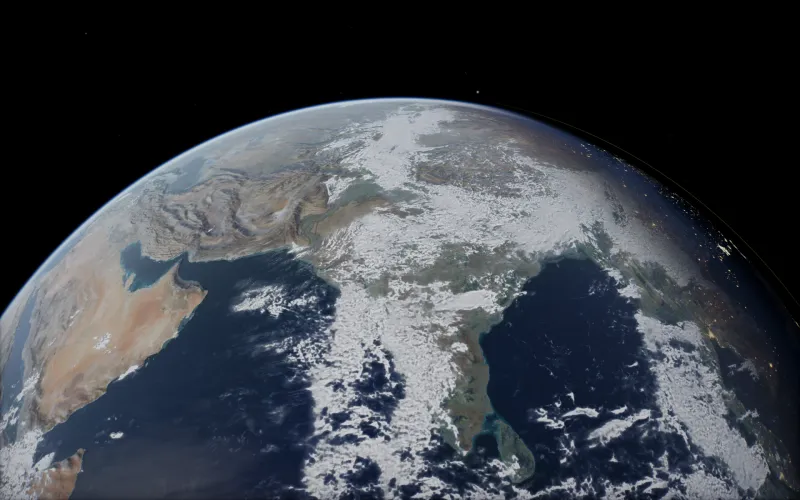
Live wallpapers put a real-time Earth with day, night and city lights, Saturn, the Moon, a black hole or the Milky Way on your desktop. They run on Windows as well as the Mac, and the viewer can turn a view you framed into your Mac wallpaper.
-
The screensaver on Windows and Linux
The screensaver now runs on Windows and Linux as well as the Mac, with one purchase for all three.
-
The real sky and the real asteroid belt
The stars, the constellation lines, the deep-sky photographs and the Milky Way sit in their true places on the sky. The asteroid belt is made of the real numbered asteroids from JPL, each on its own orbit.
-
Licences for venues
Museums, planetariums, science centres and events can license the viewer for domes, projected rooms, kiosks and VR headsets.
-
Search the site
A search box finds any page on the site, from a planet to tonight's sky over your town.
-
Space weather and the aurora
Live aurora and Sun pages from NOAA's data show the Kp index, the 3-day forecast and the aurora oval, with a check for your town and alerts by email.
-
VR in space at true scale
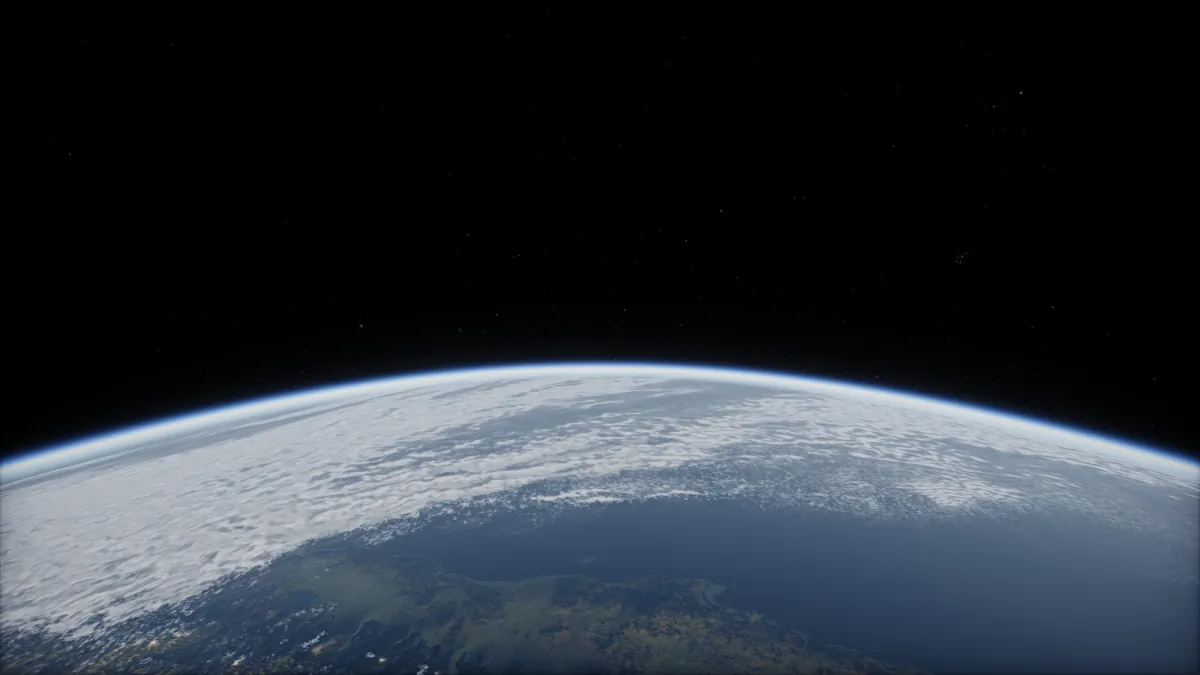
VR mode starts in orbit at true scale on a Meta Quest 3. Go to any world, turn one round with both hands, stand in the ISS Cupola, or fly with a cockpit round you.
-
Famous photos in 3D
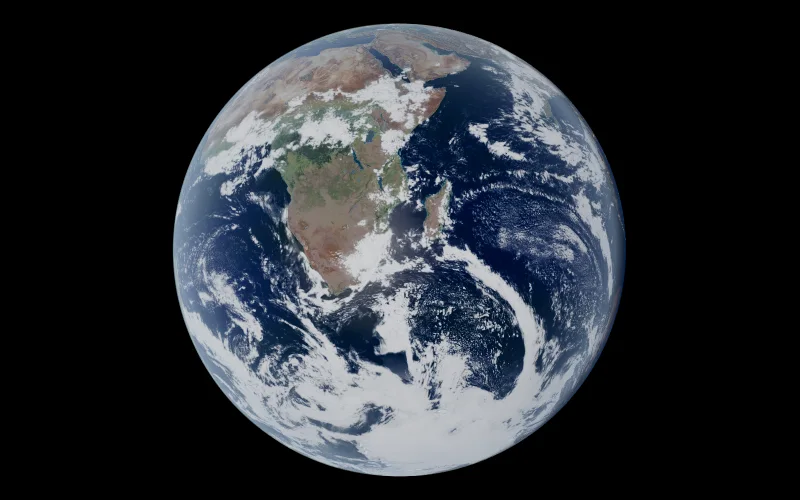
Pale Blue Dot, Earthrise, The Blue Marble and other famous space photos, each rebuilt live in 3D from where the spacecraft was, beside the original.
-
Teachers mode
Free lessons in the live 3D solar system at seven levels, from age 5 to university, with a presenter for the classroom and lessons pupils can follow on their own.
-
The view from the ISS Cupola
Look down on the Earth through the windows of the ISS Cupola as the station flies its real orbit.
-
The Sun comes alive
The Sun's surface churns, its granules form and fade, sunspots look as they do through a telescope, and prominences rise from the limb as glowing plasma.
-
Track the ISS live
See where the ISS is right now on a 3D Earth, how fast and high it flies, and when it will pass over your town, with an email before it does.
-
The SpaceX tracker
A live countdown to the next SpaceX launch, the schedule and recent results, and every Starlink satellite moving on a 3D Earth.
-
Eclipse mode
Watch an eclipse in 3D, the Moon's shadow sweeping across the Earth, and play it or scrub through it at your own pace.
-
Fuel depots, docking and tutorials
Qmax gains orbital fuel depots, refuelling, docking from anywhere with one press, and tutorials to learn the game.
-
Build and fly planes
Build a plane in Qmax and fly it, with balance markers in the hangar, a flight readout and fly-by-wire to keep it steady.
-
VR and AR in your headset's browser
Put on a headset and the planets are all round you at true scale, on Meta Quest, Apple Vision Pro, Pico and Android XR, with no app to install.
-
Is the Earth flat? 15 checks in 3D
Fifteen checks you can watch in 3D, from ships sinking over the horizon to star trails, let you see the shape of the Earth for yourself.
-
Every eclipse, meteor shower and opposition
A page for every eclipse, meteor shower peak and planet at opposition from 2026 to 2028, each with a countdown, times in your zone and where to see it.
-
Real satellites
Every active satellite circles the Earth on its real orbit, the ISS among them.
-
Smaller changes and fixes
The rest of October's changes, in brief.
- The viewer opens far sooner: on a 20 Mbps line the loading screen lifts after 4.3 seconds, down from 21.5.
- Phones keep the viewer open without reloading, and get the phone layout when held sideways.
- Camera moves curve round the planets in their way, and the trip to the ISS goes round the Earth.
- Venus in visible light: pale cream cloud, soft twilight and a hazy rim.
- Jupiter's storms keep their shape as it turns.
- A switch for the music, and a recorded piece that plays in turn with the drones.
- Fly mode starts without a freeze, and your ship eases to rest when you let go of the thrust.
- From orbit, the air bends a rising Sun up and squashes it flat.
- Voyager 1 and 2, Pioneer 10 and New Horizons sit at their real distances.
- The viewer's controls have a calmer, solid look.
- 212 corrections to the site's facts, each from a primary source.
- Owners get an email when their screensaver, wallpaper or game is updated.
- Keep a purchase on a free account from its thanks page, and pick your language from a bar above the page.
- A return policy page for prints.
September 2026
-
Free accounts and cloud saves
Make a free account to keep your purchases in one place and sync your Qmax career and rocket designs between devices.
-
Live distances to every planet
See how far the Sun, the Moon and each planet are from the Earth right now, how long their light takes to reach us and whether each is getting closer.
-
Qmax, a rocket game on a real-sized Earth
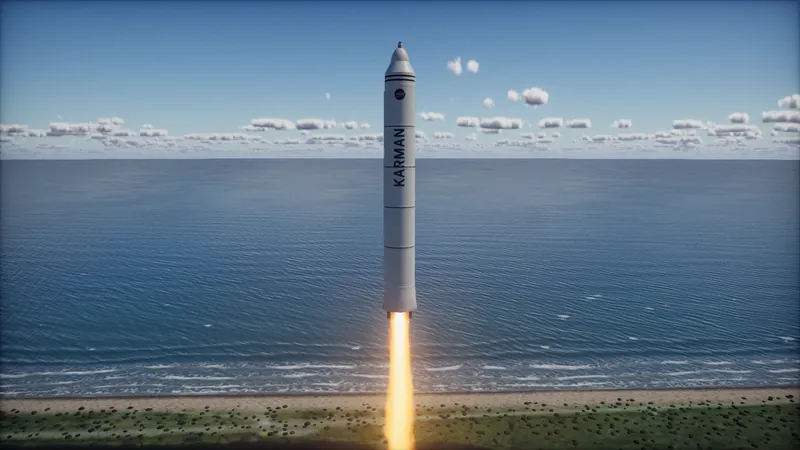
Build a rocket, launch it from a true-scale Earth and fly it to orbit, the Moon and Mars on real physics. Your first flight to orbit is free.
-
The solar system as a Mac screensaver
A screensaver of the real solar system for the Mac, with every planet where it is right now, at true scale and lit by the Sun.
-
Jump to other stars
In fly mode, open the galaxy map, pick a nearby star and jump there through hyperspace. Each system has its own kind of star and its own worlds to fly round.