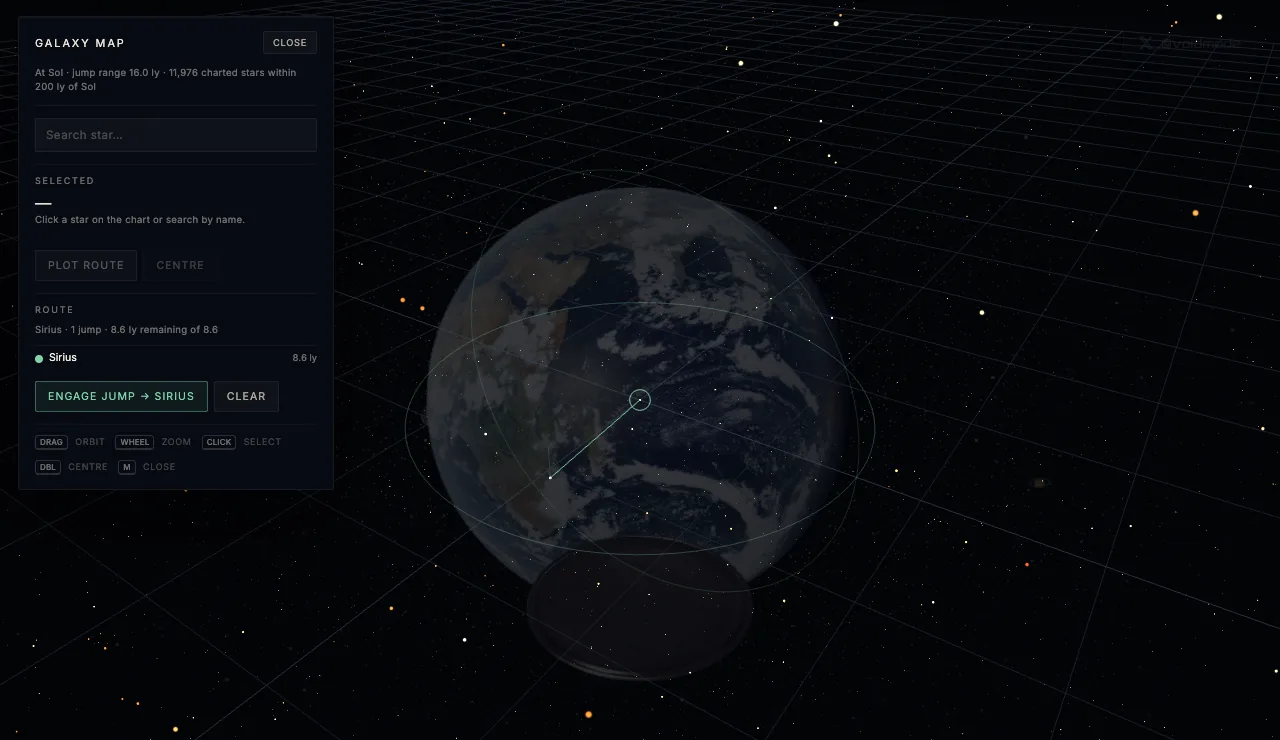
Fly mode in the 3D viewer has a galaxy map now. Press M and the solar system falls away to a chart of every star within 200 light years of the Sun that has a measured distance, 11,976 of them, each one in its real direction and at its real distance. Pick one, plot a route, press J, and your ship punches into hyperspace and comes out in that star's system.
If you grew up on Elite, that's exactly the feeling I was chasing.
Where the stars come from
The stars are the HYG database, a merged catalogue built from Hipparcos, Yale Bright Star and Gliese data, filtered to everything with a measured distance inside 200 light years. Each one is placed with the Sun at the center and celestial north up, so a star's direction on the map is its direction in the sky. Sirius sits where Sirius is, and if you fly the map around to look back at the Sun from Vega, the constellations you know are gone, because you're looking from somewhere else.
Stars are drawn by their absolute brightness and colored by their measured color index, so the hot blue ones and the cool orange dwarfs look like themselves. Names come from the catalogue in order of how well known they are, the proper name if it has one, then its Bayer designation like α Cen, then Flamsteed numbers, then catalogue IDs, which is why most of the faint red dwarfs out there go by something like Gliese 412.
Plotting a route
Your drive has a jump range, and it depends on what you're flying with. A warp drive reaches 28 light years per jump, fusion, impulse and anti-gravity drives reach 16, nuclear and drift drives 11, and chemical and ion drives 8. Anything further than that means a route through stars in between.
The router finds the fewest jumps to your destination first, and among routes with the same number of jumps, the shortest total distance. It's an A* search over the stars, with every star connected to every other star within your jump range. Sirius is 8.6 light years out, so from the Sun it's a single jump on most drives. Stars toward the edge of the bubble take a handful of legs, and the route draws on the map in green with each leg ticking off as you fly it.
The jump
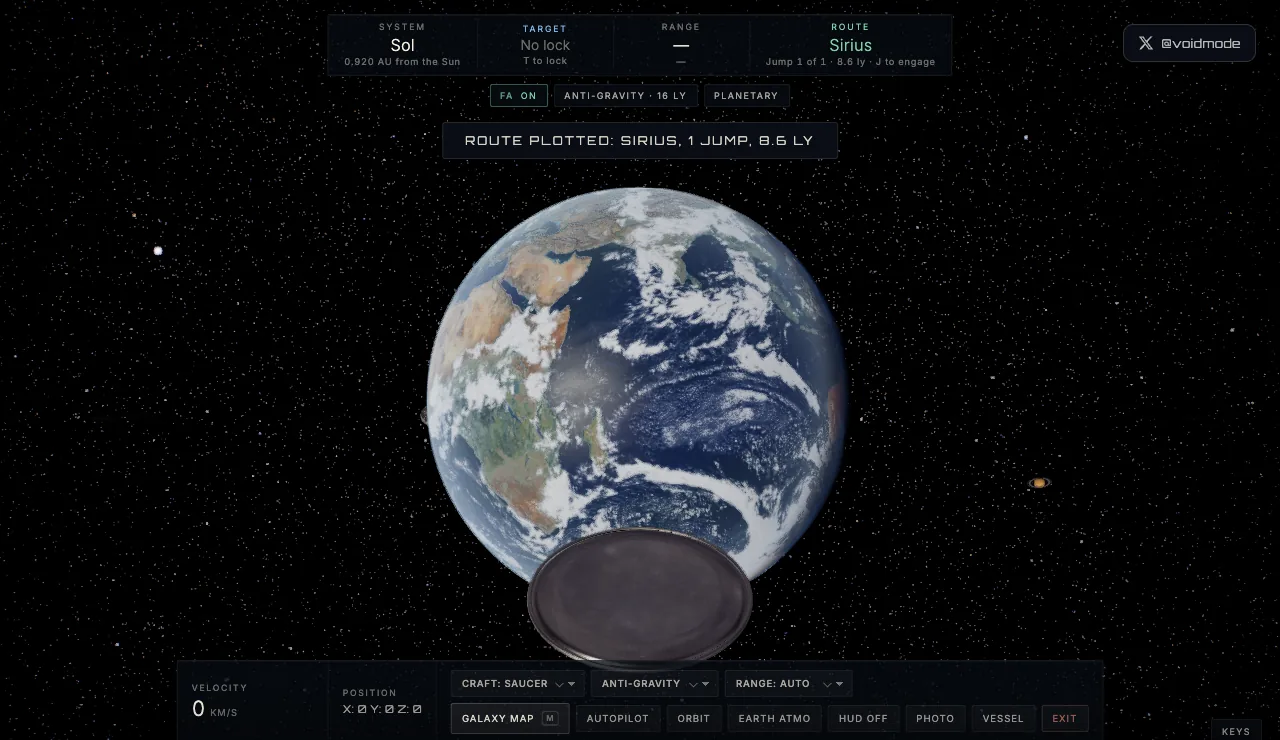
Press J and the drive spools up. Before anything happens the ship checks the path ahead against every planet and major moon nearby, and if something's in the way it turns to a clear heading first, because jumping through Jupiter would be a bad look. Then the stars stretch into streaks, the view punches forward, and you're in a tunnel of faint filaments for a few seconds before it opens up from the center on the new system.
The time you spend in the tunnel grows with the distance, between about 3.5 and 13 seconds, so a hop to Alpha Centauri is quick and a long leg feels long. The destination is loaded while the drive is spooling, so the swap happens under the tunnel with no hitch.
Arriving somewhere nobody's been
Some systems are authored by hand, Alpha Centauri among them, and that's where you'll arrive if you plot a route to Rigil Kentaurus. Every other star gets a system generated the moment you arrive, and it's generated from a seed based on that star's catalogue number, so everyone who flies to the same star finds the same planets, on every visit.
The star is built from its real spectral class, so its size, temperature and color match the catalogue. Around it go between one and seven planets, typed by how far they sit from their star, hot rocky worlds close in, temperate ocean worlds and rocky planets with atmospheres further out, then gas giants, ice giants and dwarf planets at the edge.
Once you're there, the flight model treats that system exactly like ours. Click a planet to lock it as your target, and the HUD shows its range and your arrival time, double-click and the autopilot takes you in, slowing as you close so you don't fly past it. The Objects browser and the travel menus list the new system's planets, and the jump home is always one of the options.
Why 200 light years
Two hundred light years is a nice size for a neighborhood. It's small enough that the catalogue distances are good, measured by parallax, and big enough to hold every star you've heard of nearby, Sirius, Vega, Arcturus, Procyon, the Alpha Centauri pair, plus thousands of red dwarfs that make up most of the stars out here and that you've never heard of because they're too faint to see.
It's also a humbling scale to fly around. The whole bubble is a rounding error in the Milky Way, and even at 28 light years a jump it takes a while to cross. Open the viewer, switch to fly mode, press M, and go and find a star with no name, somebody has to.